Protocol and flow matching
Keep packet direction, client/server roles and application transactions distinct.
Examples target Suricata 8.0.1 on a prepared Linux lab host. Constructed outputs are illustrative, not live sensor results. Commands are lesson examples; no sensor or enforcement is started by this page.
Follow one TCP conversation
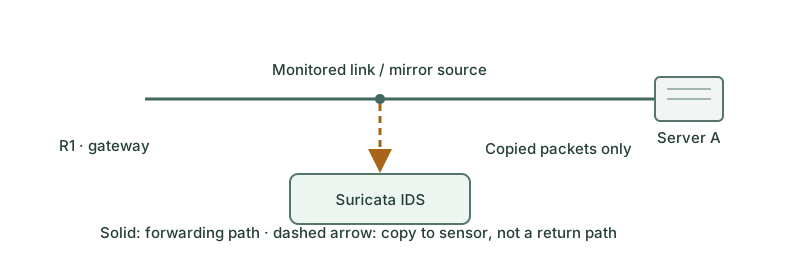
Client 10.10.10.20 uses an ephemeral source port to open TCP to 192.0.2.80:8080. The handshake completes, a GET carries /routecraft-check, and the server returns a response. The source/destination header arrow selects request-side addresses; flow:to_server expresses the application conversation role. Neither means that the sensor itself is the server.
Established and reassembled are different
For this ordinary TCP fixture, established follows the handshake. A stream-aware content condition can inspect data reconstructed from multiple segments. A packet-only condition and a stream-only condition have different scopes; do not assume a URI must be contained in one Ethernet frame. Missing traffic or stream limits can leave application state incomplete.
Use protocol-specific inspection
alert http 10.10.10.20 any -> 192.0.2.80 8080 (msg:"LAB PacketLab marker"; flow:established,to_server; http.uri; content:"/routecraft-check"; startswith; sid:1000001; rev:1;)The rule requires HTTP detection, then evaluates the URI buffer rather than blindly searching every byte. A string in an unrelated response body should not satisfy this URI condition. Normalized and raw URI buffers serve different goals; use http.uri.raw when the unnormalized representation is what the policy actually needs. TLS metadata rules do not reveal encrypted HTTP paths.
Build a matching matrix
| Fixture | Expected local marker result | Reason |
|---|---|---|
| Established GET /routecraft-check | Match | Endpoint, role and URI condition align |
| Established GET /ordinary | No match | URI differs |
| Same text in response body | No match | Wrong buffer and direction |
| TLS request containing encrypted marker | No HTTP URI match | Application payload not visible |
| Same URI to port 8081 | No match for this rule | Header restricts destination port |
These are reasoned expectations for complete controlled fixtures, not results from a running sensor. Test them through offline replay before introducing policy into live inspection.
Resolve a mismatch in order
jq -c 'select(.event_type=="http") | {flow_id,http}' lab-out/eve.json
{"flow_id":42,"http":{"hostname":"lab.example","url":"/routecraft-check","http_method":"GET","protocol":"HTTP/1.1"}}
A decoded request confirms that the intended application data exists in EVE. If no request appears, check capture direction, parser enablement and encryption before changing the content condition. HTTP logging must be enabled for this diagnostic.
Further reading
Key Takeaways
- Header direction and flow role answer different questions.
- Established TCP and reconstructed stream content are separate concepts.
- Protocol buffers reduce unintended matches.
- Encryption and missing packets can prevent application inspection.
- A fixture matrix exposes incorrect assumptions before policy deployment.