VLAN and trunk troubleshooting
Separate port assignment, mode, pruning and filtering faults with direct evidence.
Independent lab examples; selected output and frame summaries are illustrative. Port naming and command support vary by switch and software release.
Network and objective
Each failure case is independent; begin from the working two-switch VLAN10/20 trunk baseline.
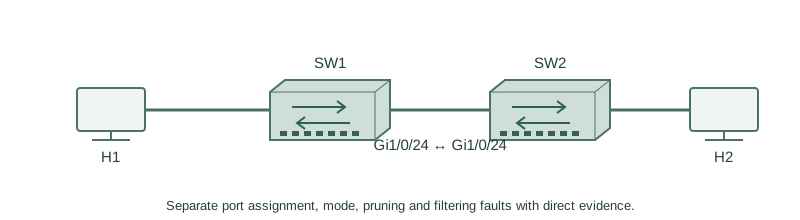
Use two fresh lab switches: H1 on SW1 Gi1/0/1, H2 on SW2 Gi1/0/1, and Gi1/0/24 between the switches. No other production links are connected.
How it works
Confirm the host access VLAN, then operational switchport mode, then each trunk’s allowed/active/forwarding lists. A connected link may be access at one end, carry only VLAN20, or block VLAN10 through spanning tree. Compare both sides rather than trusting one running configuration.
If the VLAN path is correct, inspect VACLs, port security and other filters. A policy can block a flow within the same VLAN without any IP route being involved. Preserve the intended security rule while repairing an incorrect match or direction.
Configure or inspect
show vlan brief
show interfaces GigabitEthernet1/0/24 switchport
show interfaces trunk
show vlan filter
Verify the result
SW1#show interfaces trunk
Port      Mode  Encapsulation Status    Native vlan
Gi1/0/24  on    802.1q        trunking  1
Port      Vlans allowed on trunk
Gi1/0/24  20
SW2#show interfaces trunk
Port      Vlans allowed on trunk
Gi1/0/24  10,20
VLAN10 is excluded on SW1. The discrepancy explains the isolated VLAN10 failure while VLAN20 can still work. Do not replace the existing allowed list if the intention is to preserve20.
Failure and recovery
Other cases: a host accidentally in20 needs an access-membership fix; auto/auto access needs deliberate trunk intent; a VACL drop needs policy inspection. Reset to the clean baseline between cases instead of stacking unrelated faults.
interface GigabitEthernet1/0/24
 switchport trunk allowed vlan add 10
end
show interfaces trunk
Further reading
Key Takeaways
- Check access membership before trunk details.
- Operational state can differ from configured intent.
- Allowed, active and forwarding lists are distinct.
- Same-VLAN filters can block traffic without routing.
- Change only the evidenced fault and preserve other VLANs.