Storm control
Limit selected flood traffic without confusing it with loop prevention.
Independent lab examples; selected output and frame summaries are illustrative. Port naming and command support vary by switch and software release.
Network and objective
IOS-style percentage thresholds; measurement interval, supported traffic classes, and action behavior depend on hardware.
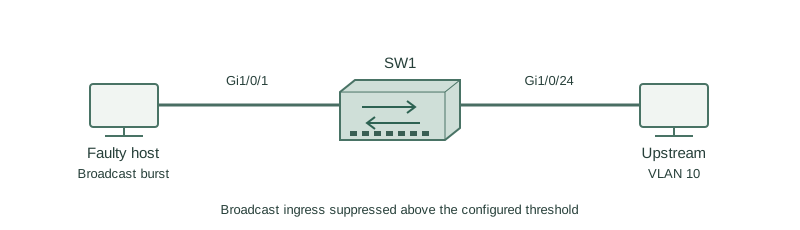
A faulty device on Gi1/0/1 sends excessive broadcasts into VLAN 10. SW1 should constrain that ingress traffic while preserving ordinary host service as far as policy allows.
How it works
A broadcast storm consumes link and switch resources because broadcasts are forwarded throughout their VLAN. Storm control measures a selected ingress traffic class and suppresses it after a configured threshold is reached.
A rising threshold starts suppression and a lower falling threshold permits recovery. Here 1.00 and 0.50 are percentages of interface bandwidth, not packets per second. Other supported command forms use bps or pps; do not interchange their units.
Broadcast, multicast, and unicast controls have different coverage and platform restrictions. Use measured baselines and account for legitimate discovery traffic. Storm control contains volume; it does not repair the cabling loop or replace spanning tree.
Configure or inspect
interface GigabitEthernet1/0/1
 storm-control broadcast level 1.00 0.50
 storm-control action trap
Verify the result
SW1#show storm-control Gi1/0/1 broadcast
Interface  Filter State  Upper  Lower  Current
Gi1/0/1    Blocking      1.00%  0.50%  2.10%
Blocking here refers to storm-control suppression of the selected class, not an STP blocking state. The trap option adds notification behavior; it does not turn this into an IPS signature rule.
Failure and recovery
A threshold chosen without a baseline suppresses legitimate bursty discovery traffic and causes intermittent address acquisition.
Measure normal and peak broadcast load, correct the underlying source or loop, and revise thresholds with the proper units. Recheck DHCP and discovery after recovery; do not simply remove all flood protection indefinitely.
Further reading
Key Takeaways
- Storm control limits traffic volume.
- Threshold units must be explicit.
- Rising and falling levels provide hysteresis.
- Legitimate discovery may be affected.
- Fix the cause as well as the symptom.