PortFast
Let a genuine endpoint begin forwarding without waiting through classic transit delays.
Independent lab examples; selected output and frame summaries are illustrative. Port naming and command support vary by switch and software release.
Network and objective
Classic PVST+ is used to expose original STP behavior; rapid-PVST+ and MST are separate lessons.
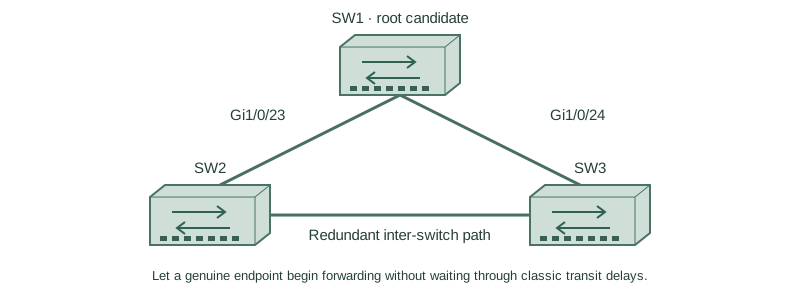
Use three fresh isolated switches with Gigabit trunks: SW1 Gi1/0/23 ↔ SW2 Gi1/0/23; SW1 Gi1/0/24 ↔ SW3 Gi1/0/24; SW2 Gi1/0/24 ↔ SW3 Gi1/0/23. Both VLANs10/20 exist on every switch. Baseline SW1/SW2/SW3 priorities are4096/8192/12288, with short costs and no extra links. Start independently from the included baseline for each lesson; subsequent repair snippets apply to the named device.
How it works
PortFast is an edge-port behavior: a verified endpoint can enter forwarding immediately instead of the classic listening/learning delay. It does not disable spanning-tree processing or make a physical link come up faster.
An endpoint edge transition avoids ordinary topology-change notification for that host event. If a port receives BPDUs, its operational edge behavior can change; BPDU guard provides an explicit policy to err-disable unexpected bridge attachments. Do not casually classify inter-switch uplinks as host edges.
Configure or inspect
SW1
vlan 10
vlan 20
spanning-tree mode pvst
spanning-tree pathcost method short
spanning-tree vlan 10 priority 4096
spanning-tree vlan 20 priority 4096
interface range GigabitEthernet1/0/23 - 24
 switchport mode trunk
 switchport trunk allowed vlan 10,20
 switchport nonegotiate
 no shutdown
exit
SW2
vlan 10
vlan 20
spanning-tree mode pvst
spanning-tree pathcost method short
spanning-tree vlan 10 priority 8192
spanning-tree vlan 20 priority 8192
interface range GigabitEthernet1/0/23 - 24
 switchport mode trunk
 switchport trunk allowed vlan 10,20
 switchport nonegotiate
 no shutdown
exit
SW3
vlan 10
vlan 20
spanning-tree mode pvst
spanning-tree pathcost method short
spanning-tree vlan 10 priority 12288
spanning-tree vlan 20 priority 12288
interface range GigabitEthernet1/0/23 - 24
 switchport mode trunk
 switchport trunk allowed vlan 10,20
 switchport nonegotiate
 no shutdown
exit
interface GigabitEthernet1/0/1
 switchport mode access
 switchport access vlan 10
 spanning-tree portfast
 no shutdown
Verify the result
SW3#show spanning-tree interface GigabitEthernet1/0/1 detail
 Port 1 (GigabitEthernet1/0/1) of VLAN0010 is designated forwarding
 The port is in the portfast mode
 BPDU: sent 4, received 0
The port is forwarding and still participates in STP control processing. The absence of received BPDUs in this example supports, but does not cryptographically prove, endpoint intent.
Failure and recovery
If another switch is attached, reassess the edge designation and apply the intended uplink configuration. Do not use PortFast to force a redundant inter-switch link around a blocked state.
SW3
interface GigabitEthernet1/0/1
 no spanning-tree portfast
Further reading
Key Takeaways
- PortFast changes edge transition timing.
- Spanning-tree processing remains enabled.
- Use it for verified endpoint attachments.
- Host flaps need not generate transit topology changes.
- BPDU guard is a separate enforcement feature.