Port security
Limit authorized source MAC addresses on a host-facing port.
Independent lab examples; selected output and frame summaries are illustrative. Port naming and command support vary by switch and software release.
Network and objective
IOS-style static access-port example. Port-security support and interaction with authentication, trunks, and channels vary by platform.
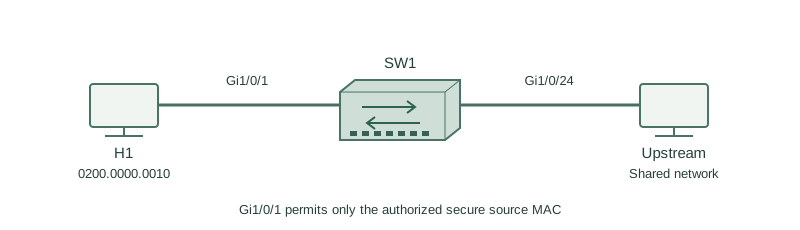
H1 with MAC 0200.0000.0010 connects to SW1 Gi1/0/1 in VLAN 10. Only that endpoint is expected; a small unmanaged switch would introduce additional source MACs.
How it works
Port security checks source MAC addresses received on the secure port. A maximum of one plus an explicitly configured secure MAC makes the intended endpoint clear. It is not cryptographic authentication: an attacker able to spoof an allowed MAC can defeat identity based only on that value.
Shutdown places the interface in error-disabled state after a violation. Restrict drops violating frames and records violations; protect drops them with less visibility. Select the mode according to the operational response needed, not just whether a ping succeeds.
Sticky learning can populate secure addresses dynamically and place them into the running configuration. Save after verifying the intended endpoint if persistence is required. Do not learn an unknown endpoint and assume that it is trusted merely because it arrived first.
Configure or inspect
vlan 10
interface GigabitEthernet1/0/1
 switchport mode access
 switchport access vlan 10
 switchport port-security
 switchport port-security maximum 1
 switchport port-security mac-address 0200.0000.0010
 switchport port-security violation shutdown
 no shutdown
Verify the result
SW1#show port-security interface Gi1/0/1
Port Security              : Enabled
Port Status                : Secure-up
Violation Mode             : Shutdown
Maximum MAC Addresses      : 1
Total MAC Addresses        : 1
Security Violation Count   : 0
Secure-up and one expected address show a healthy secure port. After a second source arrives, inspect both the violation count and interface error-disable reason. A total of one does not prove that the one device is the legitimate user.
Failure and recovery
A replacement laptop uses a different MAC, triggers the shutdown policy, and leaves Gi1/0/1 error-disabled.
Verify the replacement is authorized, remove the previous secure MAC, configure the new authorized MAC, and then shut/no shut the interface. Do not repeatedly recover the port while the violating source remains connected.
Further reading
Key Takeaways
- Port security limits source MACs.
- Static entries make the expected endpoint explicit.
- Shutdown error-disables on violation.
- Sticky entries need deliberate persistence.
- MAC identity is not cryptographic authentication.