Trunk configuration
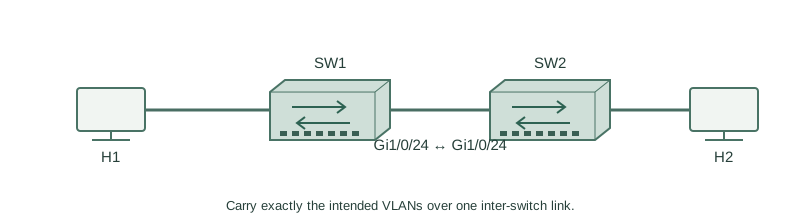
Carry exactly the intended VLANs over one inter-switch link.
Independent lab examples; selected output and frame summaries are illustrative. Port naming and command support vary by switch and software release.
Network and objective
Use 802.1Q-only-capable lab switches. Older models supporting multiple encapsulations may require an additional encapsulation command.
Use two fresh lab switches: H1 on SW1 Gi1/0/1, H2 on SW2 Gi1/0/1, and Gi1/0/24 between the switches. No other production links are connected. H1 and H2 belong to VLAN 10; a second host pair can use VLAN 20.
How it works
Create VLANs on both switches, configure the inter-switch link as an explicit trunk, and set an allowed list. Static trunk mode and disabling DTP negotiation are separate settings on platforms supporting DTP.
The operational trunk view separates allowed VLANs, allowed-and-active VLANs, and forwarding/non-pruned VLANs. A VLAN in the first list is not proof it exists locally or is forwarding. Access ports remain access ports; the trunk configuration belongs on the uplink.
Configure or inspect
vlan 10
vlan 20
interface GigabitEthernet1/0/1
 switchport mode access
 switchport access vlan 10
 no shutdown
interface GigabitEthernet1/0/24
 switchport mode trunk
 switchport trunk allowed vlan 10,20
 switchport nonegotiate
 no shutdown
Verify the result
SW1#show interfaces trunk
Port      Mode  Encapsulation Status    Native vlan
Gi1/0/24  on    802.1q        trunking  1
Port      Vlans allowed on trunk
Gi1/0/24  10,20
Port      Vlans allowed and active in management domain
Gi1/0/24  10,20
Port      Vlans in spanning tree forwarding state and not pruned
Gi1/0/24  10,20
Apply the same configuration to SW2. The VLAN 10 access hosts can now be tested across the trunk; independent VLAN 20 traffic uses the same wire with separate forwarding context.
Failure and recovery
If VLAN 20 is missing from the allowed list, adding it with the plain command can replace the whole list. Use the add form when preserving existing permitted VLANs is intended.
interface GigabitEthernet1/0/24
 switchport trunk allowed vlan add 20
end
show interfaces trunk
Further reading
Key Takeaways
- Configure trunk intent explicitly at both ends.
- Allowed does not mean active or forwarding.
- DTP suppression is separate from trunk mode.
- The add form preserves other allowed VLANs.
- Test each VLAN rather than one generic uplink ping.