EtherChannel troubleshooting
Separate negotiation failures from physical and VLAN mismatches.
Independent lab examples; selected output and frame summaries are illustrative. Port naming and command support vary by switch and software release.
Network and objective
Uses the Layer 2 LACP lab; exact suspension reasons and log text vary by release.
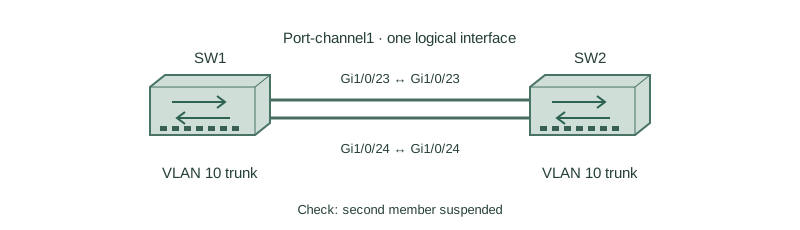
SW1 and SW2 should bundle Gi1/0/23–24 into Po1 carrying VLAN 10. A host loses connectivity after an uplink change even though both cables have link.
How it works
Start with physical state, errors, speed, and duplex. Then inspect channel protocol and partner information. A working Ethernet link does not prove that LACP received a compatible partner.
Compare active/passive with desirable/auto before changing anything: these are different protocols. Static on at one end and negotiated mode at the other is also unsafe. Correct both ends as a coordinated change.
Next compare trunk/access mode, native VLAN, allowed VLANs, and member consistency. A suspended member can leave the logical channel operational on one link, hiding reduced redundancy until that link fails.
Configure or inspect
interface range GigabitEthernet1/0/23 - 24
 switchport mode trunk
 switchport trunk allowed vlan 10
 channel-group 1 mode active
interface Port-channel1
 switchport mode trunk
 switchport trunk allowed vlan 10
Verify the result
SW1#show etherchannel summary
Group  Port-channel  Protocol  Ports
1      Po1(SU)       LACP      Gi1/0/23(P) Gi1/0/24(s)
SW1#show interfaces Gi1/0/24 switchport
Administrative Mode: trunk
Trunking VLANs Enabled: 10,20
SW1#show interfaces port-channel 1 switchport
Administrative Mode: trunk
Trunking VLANs Enabled: 10
The lowercase s is suspended, not a healthy standby. The shown VLAN difference is a clue to investigate alongside logs and the far-end configuration; do not assume every platform reports the same mismatch in exactly this way.
Failure and recovery
A single member has an incompatible VLAN list. Removing the channel without disabling links first could expose a Layer 2 loop.
During a controlled lab change, shut Gi1/0/24, reconcile its configuration and Po1’s settings with the partner, then bring it up. Confirm both P flags, correct trunk forwarding, and host traffic before testing member failure.
Further reading
Key Takeaways
- Link up does not prove aggregation.
- Check protocol and partner on both ends.
- Suspended is different from bundled.
- Compare all Layer 2 attributes.
- Avoid creating a loop during repair.