Introduction to VLANs
Separate local forwarding groups without assuming that one physical switch is one LAN.
Independent lab examples; selected output and frame summaries are illustrative. Port naming and command support vary by switch and software release.
Network and objective
Access and trunk concepts apply to supported Layer 2 switching platforms.
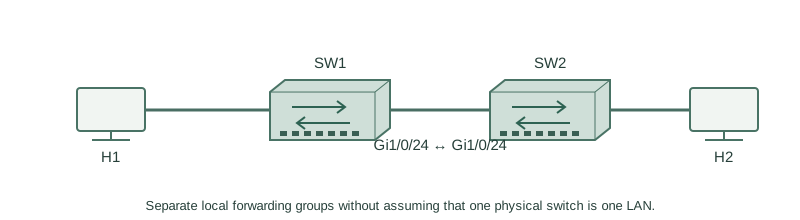
Use two fresh lab switches: H1 on SW1 Gi1/0/1, H2 on SW2 Gi1/0/1, and Gi1/0/24 between the switches. No other production links are connected.
How it works
VLAN 10 and VLAN 20 are separate broadcast domains. Assigning a port to VLAN 20 changes its Layer 2 membership; merely changing the attached host’s IP address does not move that port. A MAC address is learned within a VLAN, so the same address value can appear under separate VLAN keys.
A trunk carries selected VLANs across the inter-switch link. An access port normally classifies an untagged host frame into its configured access VLAN. Hosts in different VLANs require an appropriate routed path and policy for IP communication, even if they are next to each other on one switch.
Configure or inspect
vlan 10
 name USERS
vlan 20
 name SERVERS
interface GigabitEthernet1/0/1
 switchport mode access
 switchport access vlan 10
Verify the result
SW1#show vlan brief
VLAN Name                             Status    Ports
10   USERS                            active    Gi1/0/1
20   SERVERS                          active
This confirms VLAN creation and access membership, not that VLAN 10 crosses Gi1/0/24. Verify that separately before expecting H2 reachability.
Failure and recovery
Two same-subnet hosts accidentally assigned to different VLANs cannot ARP directly through this switch. Correct the membership; do not add arbitrary host routes as a substitute.
interface GigabitEthernet1/0/1
 switchport access vlan 10
Further reading
Key Takeaways
- A VLAN is a distinct Layer 2 forwarding domain.
- Host IP settings do not assign switchport VLANs.
- MAC lookup includes VLAN context.
- Access ports classify ordinary untagged traffic.
- Inter-VLAN communication needs routing.