VLAN access lists
Filter traffic within a VLAN using an ordered VLAN access map.
Independent lab examples; selected output and frame summaries are illustrative. Port naming and command support vary by switch and software release.
Network and objective
VACL support and hardware resources are platform-dependent. This example uses an IPv4 match ACL and a separate forwarding entry.
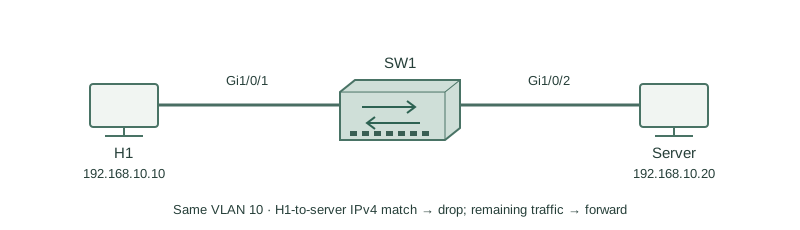
H1 192.168.10.10 and server 192.168.10.20 are in VLAN 10. They switch locally, so an SVI inbound routed ACL alone would not necessarily see their traffic. Block H1’s IPv4 packets to that server while preserving other traffic.
How it works
A VLAN access map is evaluated for traffic within the selected VLAN according to the platform pipeline. Its match ACL selects packets for a map action; an ACL permit here means match, not automatic forwarding.
Sequence 10 matches the unwanted source/destination pair and drops it. Sequence 20 has no match condition and forwards everything that reaches it, including ARP. Without an explicit remaining-traffic action, implicit behavior can cause unintended loss.
VACLs differ from routed ACLs and port ACLs in attachment and traffic scope. Review their interaction and TCAM capacity on the exact switch. Validate host-to-host switching as well as routed traffic instead of assuming that applying a map to a VLAN affects only its SVI.
Configure or inspect
ip access-list extended BLOCK-FLOW
 permit ip host 192.168.10.10 host 192.168.10.20
exit
vlan access-map CLIENT-POLICY 10
 match ip address BLOCK-FLOW
 action drop
vlan access-map CLIENT-POLICY 20
 action forward
exit
vlan filter CLIENT-POLICY vlan-list 10
Verify the result
SW1#show vlan access-map
Vlan access-map CLIENT-POLICY 10
 Match clauses: ip address BLOCK-FLOW
 Action: drop
Vlan access-map CLIENT-POLICY 20
 Match clauses: none
 Action: forward
SW1#show vlan filter
VLAN Map CLIENT-POLICY is filtering VLANs: 10
The map is both defined and attached. The drop rule applies to the selected direction H1-to-server; it is not a stateful firewall session and does not automatically create a symmetric or return policy.
Failure and recovery
A map with a drop match is attached without a forwarding entry. Unrelated traffic is lost through the map’s remaining-packet behavior.
Add the deliberate catch-all action forward sequence, inspect its position, then test blocked IPv4 traffic, permitted IPv4 traffic, and ARP. Detach the map during a controlled rollback if recovery requires it.
Further reading
Key Takeaways
- VACLs can inspect locally switched traffic.
- ACL permit means select for the map action.
- Map action decides forward or drop.
- Attachment to the VLAN is required.
- Explicit remaining-traffic policy avoids surprises.