VLAN configuration
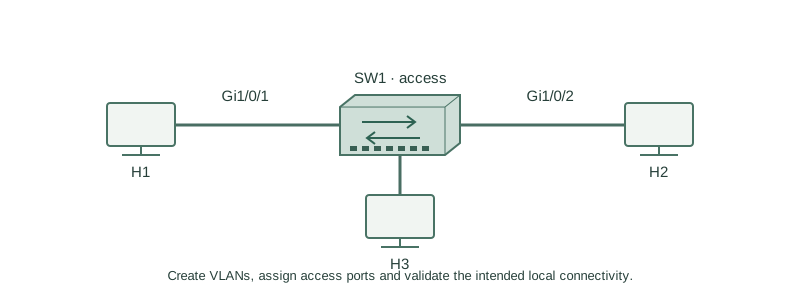
Create VLANs, assign access ports and validate the intended local connectivity.
Independent lab examples; selected output and frame summaries are illustrative. Port naming and command support vary by switch and software release.
Network and objective
Use fresh lab switches with a known VLAN database; VTP can control where VLAN changes are allowed.
Use two fresh lab switches: H1 on SW1 Gi1/0/1, H2 on SW2 Gi1/0/1, and Gi1/0/24 between the switches. No other production links are connected. H1 and H2 use 10.10.10.11/24 and 10.10.10.12/24. This lesson first uses only SW1 local ports Gi1/0/1 and Gi1/0/2; inter-switch carriage is the next lesson.
How it works
Create VLAN 10 and assign the two local access interfaces explicitly. A VLAN name documents purpose but does not establish a subnet or configure the hosts. A port without a usable physical link remains down even when membership is correct.
Inspect both VLAN existence and each port’s operational switchport mode. A suspended or absent VLAN, a routed port, or an unintended dynamic mode changes the result. Use an independent clean baseline rather than assuming a previous trunk recipe is still installed.
Configure or inspect
vtp mode transparent
vlan 10
 name USERS
interface range GigabitEthernet1/0/1 - 2
 switchport mode access
 switchport access vlan 10
 no shutdown
Verify the result
SW1#show vlan brief
VLAN Name                             Status    Ports
10   USERS                            active    Gi1/0/1, Gi1/0/2
SW1#show interfaces GigabitEthernet1/0/1 switchport
Switchport: Enabled
Administrative Mode: static access
Operational Mode: static access
Access Mode VLAN: 10 (USERS)
The local pair has matching access membership. With hosts correctly configured, a known ping can test reachability; failures still require host and physical checks.
Failure and recovery
If H2 was left in VLAN 20, both links can be up while local ARP fails. Move only the wrongly assigned interface back to the intended VLAN and retest.
interface GigabitEthernet1/0/2
 switchport access vlan 10
end
show vlan brief
Further reading
Key Takeaways
- Create the VLAN before relying on its access membership.
- Names do not configure host addressing.
- Verify operational mode as well as intended mode.
- Up links can still have wrong VLAN assignments.
- VTP mode can affect local VLAN administration.