Interface troubleshooting
Distinguish administrative, physical, duplex and protection failures before changing a port.
Independent lab examples; selected output and frame summaries are illustrative. Port naming and command support vary by switch and software release.
Network and objective
Use an isolated access switch; counter names and media diagnostics vary by model.
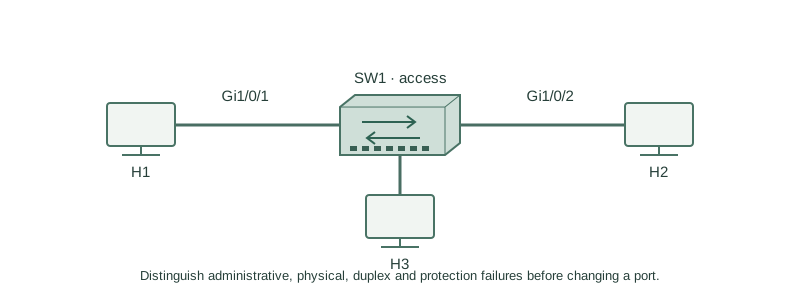
H1 connects to SW1 Gi1/0/1 in VLAN 10. H1 cannot reach H2. Start at the local access interface before changing VLAN, routing or authentication policies.
How it works
Administratively down means local shutdown is configured. Notconnect suggests no usable physical link. Err-disabled means a protection mechanism disabled forwarding; its logs and cause must be investigated before recovery. An up/up result still does not prove the correct VLAN or host policy.
Read speed, duplex, CRC/input errors and output drops over a test interval. CRC errors can indicate damaged media or incompatibility; they are not a unique signature of duplex mismatch. Queue drops can reflect congestion without a bad cable. Compare both ends and the baseline counters.
Configure or inspect
show interfaces status
show interfaces GigabitEthernet1/0/1
show logging
Verify the result
SW1#show interfaces status
Port      Status        Vlan  Duplex Speed
Gi1/0/1   disabled      10    auto   auto
SW1#show interfaces GigabitEthernet1/0/1
GigabitEthernet1/0/1 is administratively down, line protocol is down
SW1#show logging
%LINK-5-CHANGED: Interface GigabitEthernet1/0/1, changed state to administratively down
The demonstrated cause is local shutdown, not an inferred cable fault. Re-enable only this intended lab endpoint, then check negotiated mode and a known exchange.
Failure and recovery
If the port becomes err-disabled after recovery, stop cycling it. Locate the triggering event (for example BPDU guard or port security), remove the condition and apply the documented recovery policy.
configure terminal
interface GigabitEthernet1/0/1
 no shutdown
end
show interfaces status
Further reading
Key Takeaways
- Administrative and physical failures are different states.
- Err-disable has a triggering cause to investigate.
- Read both ends’ speed and duplex.
- Counter deltas are more useful than isolated cumulative totals.
- Physical success does not prove VLAN or application correctness.