PVST
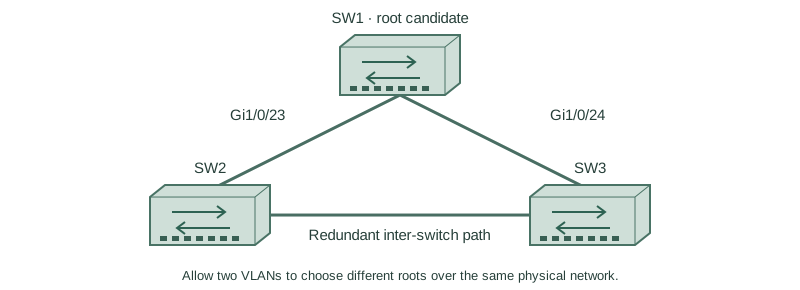
Allow two VLANs to choose different roots over the same physical network.
Independent lab examples; selected output and frame summaries are illustrative. Port naming and command support vary by switch and software release.
Network and objective
Classic PVST+ is used to expose original STP behavior; rapid-PVST+ and MST are separate lessons.
Use three fresh isolated switches with Gigabit trunks: SW1 Gi1/0/23 ↔ SW2 Gi1/0/23; SW1 Gi1/0/24 ↔ SW3 Gi1/0/24; SW2 Gi1/0/24 ↔ SW3 Gi1/0/23. Both VLANs10/20 exist on every switch. Baseline SW1/SW2/SW3 priorities are4096/8192/12288, with short costs and no extra links. Start independently from the included baseline for each lesson; subsequent repair snippets apply to the named device.
How it works
PVST+ maintains a separate spanning-tree instance for each VLAN. The physical triangle is shared, but the active forwarding topology for VLAN10 need not be the same as VLAN20. VLAN existence and trunk membership still determine which physical links participate.
Make SW1 root for10 and SW2 root for20 by setting explicit priorities. This can distribute VLAN groups across uplinks but does not provide per-flow ECMP within one tree. Platform defaults vary; inspect the running mode instead of assuming classic PVST+ or rapid-PVST+.
Configure or inspect
SW1
vlan 10
vlan 20
spanning-tree mode pvst
spanning-tree pathcost method short
spanning-tree vlan 10 priority 4096
spanning-tree vlan 20 priority 4096
interface range GigabitEthernet1/0/23 - 24
 switchport mode trunk
 switchport trunk allowed vlan 10,20
 switchport nonegotiate
 no shutdown
exit
spanning-tree vlan 20 priority 16384
SW2
vlan 10
vlan 20
spanning-tree mode pvst
spanning-tree pathcost method short
spanning-tree vlan 10 priority 8192
spanning-tree vlan 20 priority 8192
interface range GigabitEthernet1/0/23 - 24
 switchport mode trunk
 switchport trunk allowed vlan 10,20
 switchport nonegotiate
 no shutdown
exit
spanning-tree vlan 20 priority 4096
SW3
vlan 10
vlan 20
spanning-tree mode pvst
spanning-tree pathcost method short
spanning-tree vlan 10 priority 12288
spanning-tree vlan 20 priority 12288
interface range GigabitEthernet1/0/23 - 24
 switchport mode trunk
 switchport trunk allowed vlan 10,20
 switchport nonegotiate
 no shutdown
exit
Verify the result
SW3#show spanning-tree vlan 10
Root ID Priority 4106, Address 0200.0000.0001
Gi1/0/24  Root FWD 4
SW3#show spanning-tree vlan 20
Root ID Priority 4116, Address 0200.0000.0002
Gi1/0/23  Root FWD 4
SW3 uses its SW1-facing port for10 and its SW2-facing port for20. The displayed priority includes the extended system ID (the VLAN number).
Failure and recovery
A VLAN absent from one trunk can change only that VLAN’s topology. Verify both VLAN membership and the intended root before blaming an election bug.
Restore the intended allowed VLANs and explicit priorities, then inspect each instance independently.
Further reading
Key Takeaways
- PVST+ calculates a separate tree per VLAN.
- Physical and logical topology are different views.
- Root placement can differ across VLAN groups.
- A tree does not give per-flow ECMP.
- Check the actual mode and per-VLAN carriage.