UplinkFast
Recognize the legacy shortcut for a directly failed root port.
Independent lab examples; selected output and frame summaries are illustrative. Port naming and command support vary by switch and software release.
Network and objective
Classic PVST+ is used to expose original STP behavior; rapid-PVST+ and MST are separate lessons.
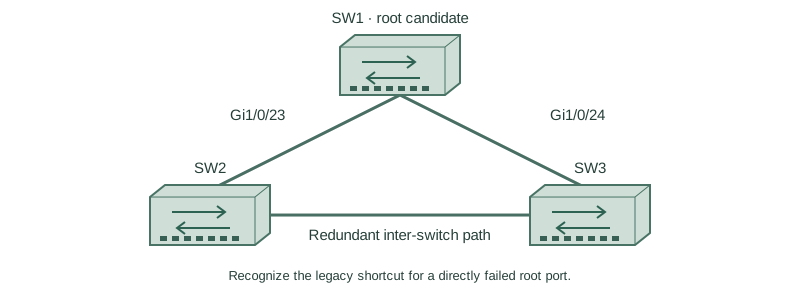
Use three fresh isolated switches with Gigabit trunks: SW1 Gi1/0/23 ↔ SW2 Gi1/0/23; SW1 Gi1/0/24 ↔ SW3 Gi1/0/24; SW2 Gi1/0/24 ↔ SW3 Gi1/0/23. Both VLANs10/20 exist on every switch. Baseline SW1/SW2/SW3 priorities are4096/8192/12288, with short costs and no extra links. Start independently from the included baseline for each lesson; subsequent repair snippets apply to the named device.
How it works
UplinkFast accelerates classic STP access-switch recovery when the current root-port link fails and an eligible alternate exists. The access switch can promote the alternate without the ordinary listening/learning wait and can send learning-update traffic to refresh upstream source locations.
This is a legacy enhancement, not a modern RSTP tuning recommendation. Enabling it on scoped platforms changes bridge priority and path costs to discourage the access switch from becoming transit/root. Inspect those side effects and do not apply it to a core switch by habit.
Configure or inspect
SW1
vlan 10
vlan 20
spanning-tree mode pvst
spanning-tree pathcost method short
spanning-tree vlan 10 priority 4096
spanning-tree vlan 20 priority 4096
interface range GigabitEthernet1/0/23 - 24
 switchport mode trunk
 switchport trunk allowed vlan 10,20
 switchport nonegotiate
 no shutdown
exit
SW2
vlan 10
vlan 20
spanning-tree mode pvst
spanning-tree pathcost method short
spanning-tree vlan 10 priority 8192
spanning-tree vlan 20 priority 8192
interface range GigabitEthernet1/0/23 - 24
 switchport mode trunk
 switchport trunk allowed vlan 10,20
 switchport nonegotiate
 no shutdown
exit
SW3
vlan 10
vlan 20
spanning-tree mode pvst
spanning-tree pathcost method short
spanning-tree vlan 10 priority 12288
spanning-tree vlan 20 priority 12288
interface range GigabitEthernet1/0/23 - 24
 switchport mode trunk
 switchport trunk allowed vlan 10,20
 switchport nonegotiate
 no shutdown
exit
spanning-tree uplinkfast
Verify the result
SW3#show spanning-tree summary
UplinkFast is enabled
SW3#show spanning-tree vlan 10
Interface           Role Sts
Gi1/0/24            Root FWD
Gi1/0/23            Altn BLK
A direct loss of SW3’s current root-port link is the intended trigger. Priority/cost values after enablement can differ from the simple baseline, so this selected output intentionally omits those changed values.
Failure and recovery
If there is no usable alternate, UplinkFast cannot invent connectivity. In a rapid-mode design, verify native rapid behavior instead of stacking legacy enhancements onto it.
SW3
no spanning-tree uplinkfast
spanning-tree vlan 10 priority 12288
spanning-tree vlan 20 priority 12288
Further reading
Key Takeaways
- UplinkFast targets a direct root-port failure.
- It requires an eligible alternate path.
- It is a legacy classic-STP enhancement.
- Priority and path-cost side effects matter.
- RSTP provides its own rapid convergence mechanisms.