VTP operation
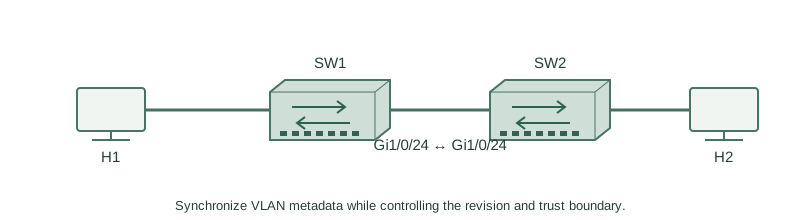
Synchronize VLAN metadata while controlling the revision and trust boundary.
Independent lab examples; selected output and frame summaries are illustrative. Port naming and command support vary by switch and software release.
Network and objective
VTP versions1/2 are proprietary legacy VLAN-distribution protocols; the lab is disconnected from production. VTP does not configure host access membership.
Use two fresh lab switches: H1 on SW1 Gi1/0/1, H2 on SW2 Gi1/0/1, and Gi1/0/24 between the switches. No other production links are connected.
How it works
A server can create VLAN database changes and clients synchronize within a matching domain and compatible version. Configuration revisions matter: an unintended higher-revision database can be destructive in v1/v2 designs. Do not attach a reused switch until its state and intended trust boundary are checked.
Transparent mode keeps local VLAN administration separate; forwarding of advertisements depends on version/platform. Trunks carry data independently of whether VTP distributes the VLAN database. Authentication and disciplined change control are still needed when the protocol is used.
Configure or inspect
SW1
vtp domain ROUTECRAFT-LAB
vtp version 2
vtp mode server
vlan 10
 name USERS
exit
interface GigabitEthernet1/0/24
 switchport mode trunk
 switchport trunk allowed vlan 10,20
 no shutdown
SW2
vtp domain ROUTECRAFT-LAB
vtp version 2
vtp mode client
interface GigabitEthernet1/0/24
 switchport mode trunk
 switchport trunk allowed vlan 10,20
 no shutdown
Verify the result
SW1#show vtp status
VTP Version capable             : 1 to 3
VTP version running             : 2
VTP Domain Name                 : ROUTECRAFT-LAB
VTP Operating Mode              : Server
Configuration Revision          : 1
SW2#show vtp status
VTP version running             : 2
VTP Operating Mode              : Client
Configuration Revision          : 1
On SW2 use the matching domain/version and vtp mode client with the intended trunk. Verify VLAN10 appears, then assign its local host port separately.
Failure and recovery
A domain, password/version or transport mismatch can prevent synchronization. Do not copy a higher-revision database as a blind fix; compare intended VLAN contents and isolate a suspect switch first.
Restore the approved domain/version/authentication and trunk state in isolation. Confirm the VLAN set and revision before attaching other switches.
Further reading
Key Takeaways
- VTP distributes VLAN metadata, not endpoint settings.
- Domain/version/authentication must agree.
- A higher unintended revision can be destructive in v1/v2.
- Transparent mode keeps a local VLAN database.
- Inspect reused switches before connecting them.